Better audio source management in macOS
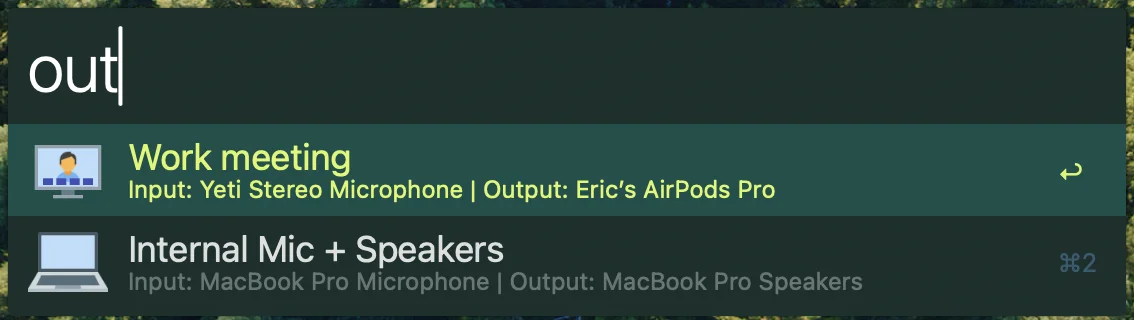
Managing input and output audio devices on macOS is a total mess. Between the plethora of video conferencing apps and websites, bluetooth connecting/disconnecting and weird auto device swapping it is really hard to manage multiple audio setups. I struggled for quite a bit to find a solution that would help me set my preferred inputs and outputs and prevent me from having to fiddle with every application separately. My mission was to set every app to default for both input and output and handle all of this externally.
My first breakthrough was switchaudio-osx a cli utility for setting the default audio sources in macOS. On the surface this tool had all of the necessary commands to list my devices, switch devices and mute/unmute. These commands work exactly as you would expect and I ended up using this tool at the core of my custom solution. The main issue is that a cli tool is extremely manual and it lacks any sort of preset or user-customizable scenes. If I wanted to just use the cli tool in conjunction with alfred I would need to have a workflow call it with the exact device parameters like SwitchAudioSource -n "Eric's AirPods pro" -t output. My solution was to build an alfred workflow that could add a simple scene structure for users to customize and create their own audio pairings. This workflow can be called directly or can be orchestrated via an external url call like alfred://runtrigger/boettner.eric.audio-source/audio_source_scene/?argument=sceneID.
I might have gotten a bit carried away with this workflow…
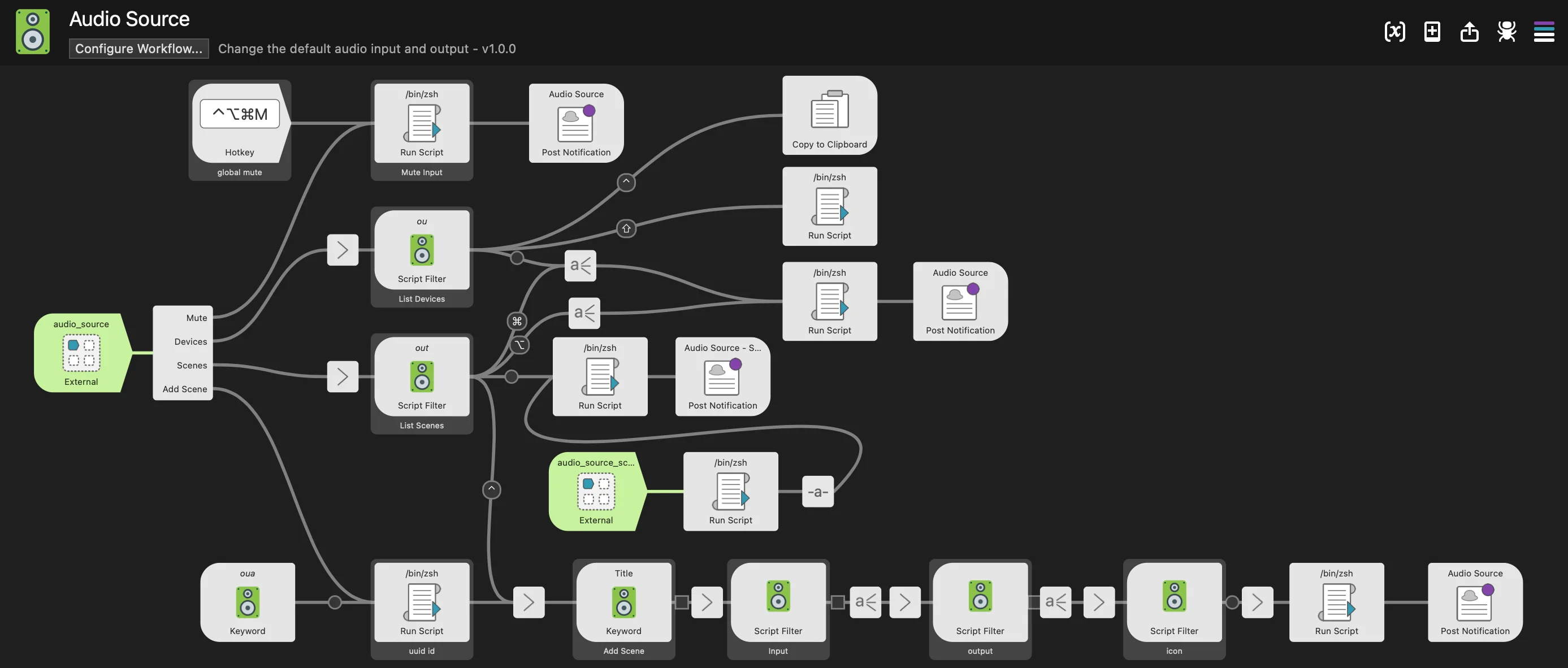
The main features of this workflow are custom user defined scenes, quick global mute/unmute and quick device switching in alfred. It allows me to set every app to default audio input and output and control everything via alfred. I use this workflow on a daily basis and haven’t interacted with the sound pane in system preferences since I set this up.
If this looks interesting to you feel free to try out my workflow, create a github issue or contribute to it here.
Bonus I: how to add a manual AirPods connect/disconnect hotkey
One of my biggest gripes with my AirPods was the auto connect/disconnect behavior. It seemed incapable of respecting my preferred audio source and instead would switch my AirPods whenever an ad played on my mac or I opened instagram on my iphone. In my usual fashion I decided to come up with my own solution involving an existing cli and a custom alfred workflow. After a little research I determined that I could “pull” my AirPods to a device by triggering a bluetooth connection. I quickly found BluetoothConnector a cli tool that would let me connect/disconnect my AirPods at will. In the same theme as my AudioSource workflow I built the Bluetooth Connector Workflow to quickly connect/disconnect bluetooth devices, see battery life and add a hotkey to connect/disconnect from a saved AirPods device.
Bonus II: Application specific volume with hotkey control
Application specific volume has been really limited in macos for many years. I have tried multiple solutions from different vendors and never really found a solution without drawbacks. My main requirements were that the tool is open source, affordable, doesn’t rely on a weird loopback audio setup and is well maintained. The good news is that finetune recently popped up and it checks those boxes for me. I even was able to add a crucial function (url schemes for controlling volume) and 20+ people have contributed to multiple releases. Finetune has the potential to fully replace my existing setup but for now I mainly use it through url schemes. Calling finetune://step-volume?app=BUNDLE_ID&direction=UP/DOWN lets you quickly set an app volume and writing an alfred workflow for your favorite apps is trivial (I’ll leave that to the reader). I know Finetune has its built in hotkeys, but in general I prefer orchestrating things via alfred so I can have my hotkeys fire off multiple actions or follow some internal logic.